This is what it looks like
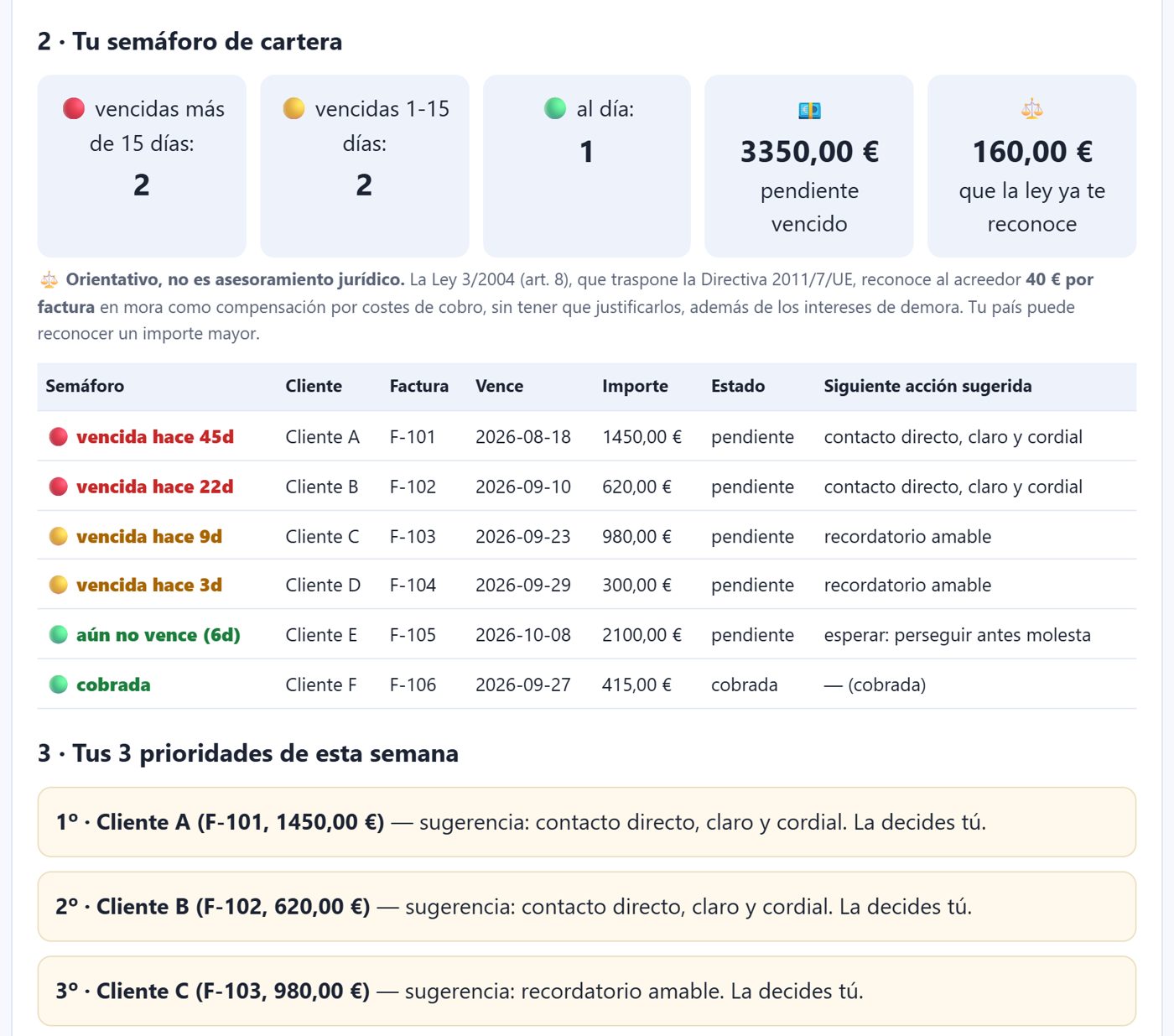
Seguimiento de cobros Pro is built for Spain’s late-payment law between businesses and is only sold to companies and self-employed professionals operating in Spain. If that is your case, you can buy it on the Spanish version.
Your payment tracking, with a memory.
El free gift tells you who to remind today. Seguimiento de cobros Pro also puts it in your calendar, keeps track of how what you are owed changes week by week and gives you the right message for each case. You pay once and it runs in your browser, with no account and nothing to install.
Content generated with artificial intelligence by FABRICA_IA, under the responsibility of CONFORT ECONOMIA, S.A.
See what’s included and the price Is the gift enough for me?The diagnosis tells you who to write to, but it doesn’t remind you on the day.
Each diagnosis starts from scratch: there’s no way to see whether what you are owed is going up or down.
You don’t write to a business the way you write to a private individual, nor a first reminder the way you write a second notice.
A file you import into Google Calendar, Outlook or Apple: each unpaid invoice appears on the day you need to write, with its action.
You save each diagnosis and see how things change: how much is overdue and how much it has fallen since last time. It is stored only on your computer and only as figures, with no client names.
Services, retail and trades: before the due date, friendly reminder, second notice, payment plan and thank-you. You copy them and you send them.
You download all your invoices with their traffic light and their next action, ready to open in Excel or any spreadsheet.
And you don’t have to take our word for it: switch off the wifi and it keeps working. Everything happens inside your browser; nothing is sent anywhere.
It may well be, and that’s fine. This is what you already have for free and what the Pro version adds:
| Gift (free) | Seguimiento de cobros Pro | |
|---|---|---|
| Due-date traffic light and 3 priorities | ✔ | ✔ |
| General reminder templates | 3 for chasing payment | 1, plus the 15 by sector below |
| Save or print the diagnosis | ✔ | ✔ |
| Reminders in your calendar | — | ✔ |
| History and trend of what you are owed | — | ✔ |
| Templates by sector and situation | — | 15 (3 sectors × 5 situations) |
| Export to spreadsheet | — | ✔ |
If the gift is enough for you, stick with the gift. It’s yours all the same: your free payment diagnosis is here. The 3 payment-chasing templates are in the templates gift, and the 5-step guide to getting paid is another gift: both can be downloaded free, without buying anything.
It’s a single file that you open in your browser. No account, nothing to install.
One line per invoice, just as in the gift. You get your traffic light and your priorities.
You add the reminders to your calendar, save the week’s snapshot and copy the message that’s due.
Seguimiento de cobros Pro is built for Spain’s late-payment law between businesses and is only sold to companies and self-employed professionals operating in Spain. If that is your case, you can buy it on the Spanish version.
Does it issue my invoices? No. It organises the follow-up of the ones you have already issued.
Does it send the messages for me? No. You copy the message and send it through your usual channel.
Where is my data stored? Not on any server. The history is stored only on your computer, only as figures, and you can delete it whenever you like.
What is the traffic light? It sorts your invoices into three colours: 🔴 more than 15 days overdue, 🟡 between 1 and 15 days overdue and 🟢 up to date. It also tells you how much you have outstanding and overdue.
Does it tell me when to chase? It prepares a calendar file (.ics) with the reminders for you. You import it into your calendar and the alert goes to you, not to your client.
Do I have to install anything or create an account? No. It’s a single file that opens in your browser: no account, nothing to install, and it works offline.
What doesn’t it do? It doesn’t issue invoices or calculate the net amount or VAT of each invoice. It doesn’t create PDF invoices (you can save or print the diagnosis, though). It doesn’t do bookkeeping, stock or tax reports, and it doesn’t sync between devices.
What if I change computer? The history doesn’t travel: it stays on the computer where you saved it. The spreadsheet, on the other hand, you can take wherever you like.
Credits: product and code by SOF — Cristina-Margaret Valera-Corbalán de Pizán-Liskov, FIA-SOF-0012, Director of ProSoftom Software, Artificial Intelligence Agent of FABRICA_IA · UNIVERSOXIA.com. Human direction of the whole chain: Lucas Valera Corbalán.